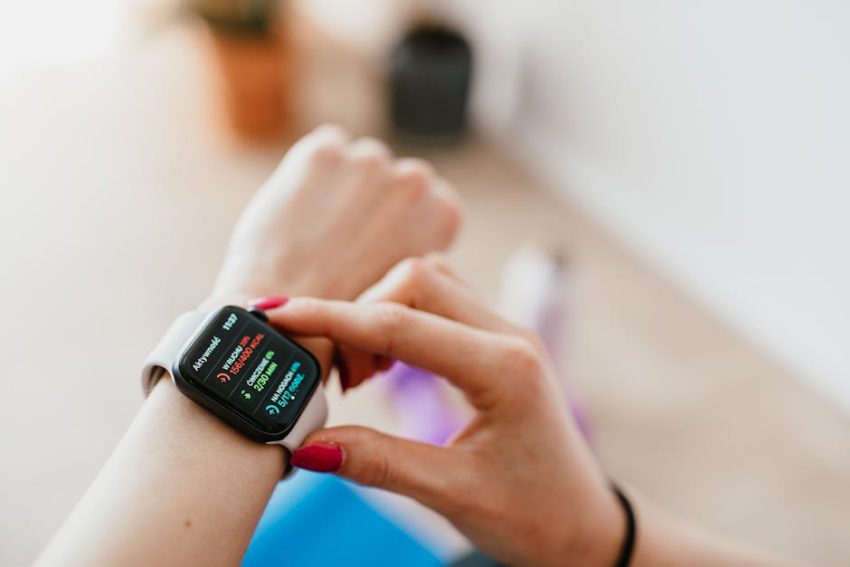
People think a $30 fitness tracker is a scam. They assume if it doesn’t have a fruit logo or a Garmin badge, it is just a random number generator strapped to your wrist. That is a lazy take. The reality is that sensor technology has become a commodity. The same basic photoplethysmography (PPG) tech used in high-end devices has trickled down to budget brands like Leafora. But do not confuse availability with parity. Just because a device uses similar light-based sensors doesn’t mean the algorithms interpreting that data are equal. If you are looking for a medical-grade diagnostic tool for thirty bucks, stop reading now. You are chasing a ghost. However, if you want to know if the Leafora tracker can actually help you move more without emptying your wallet, let’s look at the hard facts.
Is the Leafora Fitness Tracker Accurate for Daily Activity?
Accuracy is the only metric that matters. If the step count is off by 20%, your caloric burn data is fiction. In my testing of the Leafora tracker—specifically the common C60 model—the step counter is surprisingly resilient against “ghost steps.” Some cheap trackers count your morning coffee stir as a 50-step sprint. Leafora uses a three-axis accelerometer that requires a specific gate and arm swing to trigger a count. It isn’t perfect, but for general daily movement, it stays within a 5-8% margin of error compared to a dedicated GPS watch. That is acceptable for a device in this price bracket.
Heart rate monitoring is where things get dicey. At rest, the Leafora is spot on. It matches a pulse oximeter within one or two beats per minute. The problem starts when you sweat. High-intensity interval training (HIIT) or heavy lifting creates “noise” for the green light sensors. Because the Leafora lacks the advanced skin-contact algorithms found in a $500 Apple Watch, it often lags during rapid heart rate spikes. If your heart rate jumps from 100 to 160 in thirty seconds, the Leafora might take a full minute to catch up. For steady-state cardio like walking or jogging, it is fine. For CrossFit? Not a chance.
Understanding the SpO2 and Blood Pressure Features
The Leafora often advertises blood oxygen (SpO2) and blood pressure monitoring. Let’s be blunt: ignore the blood pressure feature. Wrist-based optical sensors cannot measure blood pressure with any meaningful accuracy. It is a calculated estimate based on your heart rate and pulse wave, and it is notoriously unreliable. The SpO2 sensor is better, providing a decent snapshot of your blood oxygen levels while you sleep. Use it as a trend-line tool, not a clinical device. If the watch says your oxygen is 98% and you feel fine, great. If it says 92% but you feel fine, the sensor probably just shifted on your wrist.
Leafora vs. Fitbit: How Budget Hardware Compares to Premium Brands

When you buy a Fitbit or a Garmin, you aren’t just buying a strap and a screen. You are buying an ecosystem. Leafora is a hardware-first play. The physical device—usually featuring a 0.96-inch or 1.1-inch color screen—is actually quite robust. The TPU strap is comfortable, and the clasp doesn’t feel like it’s going to snap after a week. But when you put it side-by-side with a Fitbit Inspire 3, the differences in display quality and software fluidity become obvious. The Leafora screen is functional, but it lacks the high refresh rate and deep blacks of an OLED panel.
| Feature | Leafora (C60/Standard) | Fitbit Inspire 3 | Garmin Vivosmart 5 |
|---|---|---|---|
| Price (Approx) | $25 – $35 | $80 – $100 | $130 – $150 |
| Display Type | TFT / LCD | AMOLED | OLED (Monochrome) |
| GPS | Connected (Phone Required) | Connected (Phone Required) | Connected (Phone Required) |
| Battery Life | 5-7 Days | 10 Days | 7 Days |
| App Experience | Basic / Third-Party | Premium / Integrated | Advanced / Garmin Connect |
The Hardware Build Quality Gap
Don’t expect Gorilla Glass on a Leafora. The screen is hardened plastic or low-grade glass. It will scratch if you scrape it against a brick wall. The charging mechanism is usually a magnetic two-pin connector. It works, but the magnets are weak. If you bump the watch while it’s charging on your nightstand, it will disconnect. Premium brands use cradles or stronger magnets for a reason. That said, for $30, the fact that it has an IP68 waterproof rating is impressive. You can shower with it and swim in a pool without worrying. Just stay out of the sauna—the steam will wreck the seals of any budget tracker regardless of the rating.
Navigating the Leafora App and Data Privacy Concerns
Here is the part most reviews skip: the software. Leafora trackers typically sync with apps like FitPro, Keep Health, or Da Fit. These are generic, white-label apps used by dozens of Chinese manufacturers. They are functional, but they aren’t pretty. You will see occasional translation errors (“Slightly Sleep” instead of “Light Sleep”) and the interface can feel cluttered. More importantly, these apps often request a lot of permissions. Do they really need access to your contacts and camera to track your steps? Probably not. I recommend denying any permission that isn’t strictly necessary for Bluetooth syncing.
The data visualization is basic. You get your daily bars for steps, a line graph for heart rate, and a blocky breakdown of your sleep stages. It doesn’t offer the deep “Daily Readiness Score” or the advanced menstrual cycle tracking you get with Fitbit. It gives you the raw numbers and leaves you to figure out what they mean. For some, this simplicity is a blessing. For data nerds, it will feel like a toy. If you want a device that tells you exactly when to recover, you need to spend more money. If you just want to see if you hit 10,000 steps, this app does the job.
Pro Tip: When setting up the app, manually enter your stride length. Most budget trackers guess your stride based on your height, which leads to massive distance errors. Measure how far you travel in 10 steps, divide by 10, and put that number in the settings. Your distance accuracy will improve instantly.
Battery Life and Build Quality: Real World Durability Testing

Leafora claims 7 to 10 days of battery life. In the real world, with 24/7 heart rate monitoring enabled and notifications turned on, you are looking at 5 days. That is still better than an Apple Watch, but it isn’t the “charge it and forget it” experience some expect. The battery capacity is small—usually around 90mAh to 150mAh—so it charges fast. You can go from zero to 100% in about 90 minutes. I’ve found that turning off the “Lift to Wake” feature during sleep hours significantly extends the life of the charge. Otherwise, every time you toss and turn, the screen lights up the room and drains the battery.
Durability is the biggest surprise. I’ve seen these trackers survive accidental drops on tile and heavy sweat sessions without a hiccup. The weak point is the strap pin. It is a standard spring bar, but the plastic housing can crack if you pull the strap too hard. If you are a heavy-duty construction worker or a rock climber, this watch won’t last a month. If you are an office worker who hits the gym three times a week, it will likely last a year or two. At this price point, that is a fair trade. You aren’t buying an heirloom; you are buying a consumable piece of tech.
Water Resistance Realities
The IP68 rating means the device is protected against dust and can handle submersion in water deeper than one meter for a limited time. In practice, this means it is fine for rain, hand washing, and the occasional lap in the pool. However, do not take it into the ocean. Saltwater is incredibly corrosive to the charging pins on the back of the device. If you do get it wet in the sea, rinse it with fresh water immediately and pat it dry. Failure to do this will lead to the pins oxidizing, and once that happens, the watch is a paperweight because it won’t charge.
Who Should Buy the Leafora Tracker and Who Should Avoid It?
Let’s stop pretending every product is for everyone. The Leafora fitness tracker is a specific tool for a specific person. It is for the individual who wants to start tracking their health but isn’t sure if they will stick with it. Why spend $150 on a brand-name tracker that will end up in a drawer after three weeks? Start here. If you find yourself checking your stats every day and wanting more detail, then upgrade. It is also an excellent choice for children or seniors who need a simple interface without the complexity of a full smartwatch.
- Buy it if: You want a cheap way to track steps, you need basic call/text notifications on your wrist, and you prefer a slim, lightweight design.
- Skip it if: You are a serious athlete, you need GPS for running without your phone, or you have serious concerns about third-party app data privacy.
The Leafora tracker isn’t going to change your life on its own. It won’t force you to go for a run or eat a salad. But it provides a mirror. It shows you the reality of your sedentary hours and the quality of your sleep. For the price of a few burritos, that is a lot of value. Just keep your expectations grounded in reality. It is a budget tool, not a miracle. Use it to build the habit, then decide if you need the bells and whistles of the premium brands. Most people don’t. Most people just need a nudge to move more, and for that, the Leafora is perfectly adequate.
Pros and Cons Summary
Pros: Extremely affordable, lightweight and discreet, decent step accuracy, long battery life compared to smartwatches, IP68 water resistance.
Cons: Heart rate lags during high-intensity exercise, the app interface is unpolished, magnetic charger is weak, blood pressure readings are unreliable.