
Fitness trackers have become an essential tool for many looking to monitor their health and activity levels. Among the vast options, GRV offers devices positioned at the accessible end of the market. This breakdown clarifies what to expect from GRV fitness trackers, their performance, and how they stack up against other popular choices.
What the GRV Fitness Tracker Offers: Features and Design
GRV fitness trackers typically provide a solid array of features for their price point. These devices often include standard health monitoring functions crucial for casual users and those new to activity tracking. The design prioritizes practicality, often featuring lightweight construction and a comfortable silicone band for daily wear.
Core Health Monitoring Sensors
Most GRV trackers integrate a suite of basic sensors. A common inclusion is an optical heart rate sensor, which measures beats per minute (BPM) at the wrist. They also feature a 3-axis accelerometer for tracking steps, distance, and calories burned. Some models extend to blood oxygen (SpO2) monitoring, a valuable addition for understanding overall wellness and sleep quality. These sensors provide foundational data for daily health insights.
Display and User Interface
GRV devices usually come with a bright, full-color TFT or LCD display. Screen sizes vary, but generally offer enough space to show time, date, step count, heart rate, and notifications clearly. Navigation is typically handled through a single touch-sensitive button or swipe gestures on the screen. The interface is designed to be straightforward, allowing quick access to essential data without unnecessary complexity. Customization options for watch faces are common, letting users personalize their device.
Battery Life Expectations
Battery performance is a strong suit for many budget fitness trackers, and GRV devices often follow this trend. Users can expect several days of use on a single charge, sometimes extending up to 7-10 days, depending on feature usage like continuous heart rate monitoring or frequent notification alerts. Charging is usually via a proprietary magnetic cable, connecting easily to the device’s back. This extended battery life minimizes the need for daily recharging, making them convenient for continuous tracking.
GRV Tracker Performance: Accuracy in Health Data
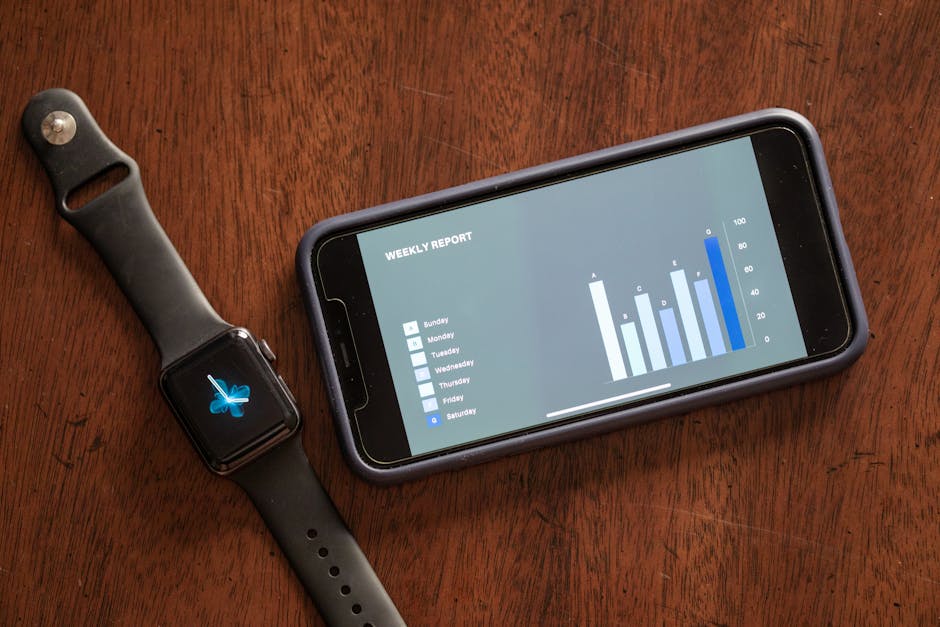
The accuracy of any fitness tracker is . For GRV devices, performance is generally consistent with what you expect from budget-friendly options. They provide a good estimation of activity and biometric data, suitable for general wellness tracking, though not always matching medical-grade precision.
Heart Rate Monitoring Consistency
GRV trackers measure heart rate using optical sensors. For resting heart rate and steady-state exercise, these devices offer reasonably consistent readings. During high-intensity interval training or activities with sudden changes in movement, the accuracy can sometimes fluctuate, a common characteristic among wrist-based optical sensors in this price range. For reliable zone training, a chest strap monitor remains the gold standard, but for general daily tracking, GRV provides actionable data.
Step Counting and Distance Tracking
Step counting on GRV devices, like many accelerometers, is good for daily totals. Walking or running on flat surfaces yields dependable results. However, context matters. Activities like pushing a shopping cart or cycling might not register steps accurately. Distance tracking, which relies on step count and estimated stride length, can also vary. For precise distance, especially outdoors, pairing with a smartphone’s GPS offers better accuracy than the tracker’s internal estimates.
Sleep Pattern Analysis
GRV trackers often include sleep tracking, categorizing sleep into light, deep, and awake times. This feature provides a general overview of sleep patterns and can highlight consistency or major disturbances. While useful for identifying trends, these trackers do not offer the detailed sleep stage analysis found in more advanced devices or clinical sleep studies. They can help identify habits that affect sleep quality, prompting users to make lifestyle adjustments.
GRV Versus Budget Fitness Trackers: A Feature Comparison
When considering a GRV fitness tracker, it helps to see how it compares to other popular entry-level options. GRV competes in a crowded market, offering compelling value. Here’s a quick look at how it measures up against some well-known alternatives.
| Feature | GRV Fitness Tracker (Typical) | Xiaomi Mi Band 8 | Fitbit Inspire 3 |
|---|---|---|---|
| Price Range (Approx.) | $25 – $45 | $40 – $60 | $75 – $100 |
| Display Type | TFT/LCD Color | AMOLED Color | AMOLED Color |
| Heart Rate Monitor | Yes | Yes | Yes |
| SpO2 Monitor | Some models | Yes | Yes |
| GPS Connectivity | Connected GPS (via phone) | Connected GPS (via phone) | Connected GPS (via phone) |
| Water Resistance | IP67/IP68 or 5ATM | 5ATM | 5ATM |
| Typical Battery Life | 7-10 days | 14-16 days | 10 days |
| App Ecosystem | Basic, focused on core data | Mi Fitness (robust) | Fitbit App (comprehensive) |
GRV’s Position in the Market
GRV trackers consistently offer a highly competitive entry point. They provide essential features without the premium price tag. While the **Xiaomi Mi Band 8** often boasts a superior AMOLED display and slightly longer battery life, and the **Fitbit Inspire 3** integrates into a more mature and feature-rich app ecosystem with advanced health metrics, GRV holds its own for basic tracking needs. GRV is often the most budget-friendly option, making it an attractive choice for those on a tight budget or first-time tracker users who want to test the waters without a significant investment.
Navigating the GRV Companion App: User Experience
The GRV fitness tracker relies on a companion smartphone application to unlock its full potential. This app is where all your collected data is stored, analyzed, and presented. The user experience is generally straightforward, designed for ease of use rather than extensive customization or advanced analytics.
Data Synchronization Process
Pairing your GRV tracker with its app typically involves a simple Bluetooth connection. Once paired, data synchronization usually happens automatically when the tracker is within range of your smartphone and the app is running in the background. Users can also manually initiate a sync to ensure the latest data is transferred. The process is generally quick, allowing for near real-time updates of daily activity and health metrics on your phone.
Key App Features for Wellness
The GRV app focuses on presenting core health data clearly. Here are the typical features you’ll find:
- Dashboard Overview: A summary screen showing daily steps, calories, distance, and active minutes.
- Heart Rate Trends: Graphs illustrating heart rate throughout the day and during workouts.
- Sleep Analysis: Breakdown of sleep stages (light, deep, awake) and total sleep duration.
- Workout Tracking: Allows users to start and stop specific exercise modes, often using connected GPS from the phone for outdoor activities.
- Notification Management: Enables selection of which app notifications (calls, texts, social media) appear on the tracker’s display.
- Device Settings: Customization options for alarms, sedentary reminders, watch faces, and continuous heart rate monitoring.
- Historical Data: Access to weekly, monthly, and yearly trends for all tracked metrics, helping users identify long-term patterns.
While the app is functional, it might not offer the depth of insights or community features found in apps from brands like Fitbit or Garmin. Its strength lies in its simplicity and direct presentation of essential health data.
Wearability and Build Quality: Is GRV Comfortable and Durable?
The physical design and construction of a fitness tracker significantly impact its daily usability. GRV devices generally emphasize comfort and practical durability, aiming for a device that can be worn continuously without being obtrusive.
Materials and Skin Sensitivity
GRV trackers typically feature a lightweight plastic body and a soft silicone or TPU strap. These materials are chosen for their flexibility, durability, and skin-friendliness. Silicone straps are generally comfortable for extended wear, even during exercise. For individuals with sensitive skin, it is always wise to keep the band clean and dry, as moisture trapped underneath any material can sometimes cause irritation. The low-profile design also helps prevent snagging on clothing or getting in the way during daily tasks.
Water Resistance Ratings
Most GRV fitness trackers come with a decent level of water resistance, often rated at IP67, IP68, or 5ATM. An IP67 rating means the device can withstand submersion in up to 1 meter of water for 30 minutes, making it suitable for splashes, rain, and showering. 5ATM (5 atmospheres) is a more robust rating, allowing for swimming and shallow water activities. It’s crucial to check the specific model’s rating, but generally, GRV devices are designed to handle everyday water exposure, eliminating the need to constantly remove them for hand washing or light water activities.
Long-Term Durability Concerns
Given their budget price point, GRV trackers are built with cost-effectiveness in mind. The plastic construction is robust enough for typical daily use but may not withstand severe impacts as well as devices with metal casings. The displays are often protected by tempered glass or a durable plastic cover, which can be susceptible to scratches over time without additional screen protection. For longevity, avoiding extreme temperatures, harsh chemicals, and direct impacts is advisable. The bands are usually replaceable, which can extend the life of the tracker if the original band wears out or breaks.
Ideal Users for the GRV Fitness Tracker
The GRV fitness tracker isn’t for everyone. But for specific users, it provides excellent value. This device is best suited for individuals who want basic health and activity tracking without a significant financial commitment or overly complex features.
It is an ideal choice for first-time fitness tracker owners looking to understand their daily activity levels, monitor heart rate, and get a general sense of sleep patterns. It also serves well for individuals who need a simple notification display on their wrist without the full functionalities of a smartwatch. Someone needing highly accurate GPS for running or advanced health metrics like ECG or blood pressure monitoring should look at higher-end devices from brands like Garmin or Apple. For core activity tracking, however, GRV delivers a compelling package.
Troubleshooting Common GRV Tracker Issues
Even with user-friendly designs, fitness trackers can sometimes present minor issues. Understanding how to address common problems with your GRV tracker can save time and frustration.
Why isn’t my GRV tracker syncing?
If your GRV tracker isn’t syncing data to your phone, first check your phone’s Bluetooth settings. Ensure Bluetooth is enabled and the tracker is still paired. Sometimes, simply restarting your phone and the GRV app resolves the issue. You can also try unpairing and then re-pairing the device within the app. Confirm the GRV app has all necessary permissions enabled on your phone, especially for location and background activity. Outdated app versions can also cause sync problems, so check for updates in your phone’s app store.
How do I improve GRV battery life?
To extend your GRV tracker’s battery life, consider reducing features that consume more power. Turning off continuous heart rate monitoring and opting for on-demand checks can make a big difference. Limiting the number of app notifications sent to your tracker also conserves power, as the screen lighting up frequently drains the battery. Reducing screen brightness and setting a shorter screen timeout period can further help. Ensure the firmware on your tracker is up to date, as updates often include battery optimization improvements.
What if my GRV tracker shows inaccurate data?
Inaccurate data can be frustrating. For heart rate, ensure the tracker is snug on your wrist, but not overly tight. Position it about two finger-widths above your wrist bone for optimal sensor contact. For step counting, confirm your personal profile (height, weight, age) in the app is accurate, as these factors influence stride length calculations. Performing a factory reset on the tracker, if supported by your model, can sometimes resolve persistent accuracy issues. Comparing the tracker’s readings against a known accurate source (like a treadmill’s distance display or a manual pulse check) can help confirm if the issue is significant.